Top Wifi Smart Switch Tips for Better Home Automation?
Home automation is becoming increasingly popular. Among the various devices available, the Wifi Smart Switch stands out. This gadget allows you to control your lights and appliances remotely. Imagine turning off the kitchen lights from your bed. It's convenient, but there are tips that can enhance your experience.
Using Wifi Smart Switches can seem straightforward. However, many users encounter issues. For instance, connectivity might break at unexpected times. It can be frustrating when you attempt to automate your home. Ensuring a stable Wifi connection is vital. Remember, interference from other devices can disrupt signal strength. Reflections on these challenges can lead to better solutions in your setup.
Moreover, customizing your Wifi Smart Switch settings can improve efficiency. Some users overlook schedules and routines that can save energy. Reviewing these features regularly can reveal new benefits. It’s easy to forget that proper installation matters too. Installing switches improperly may lead to malfunctions. Thus, attention to detail is critical.
Understanding Wifi Smart Switches: A Basic Overview
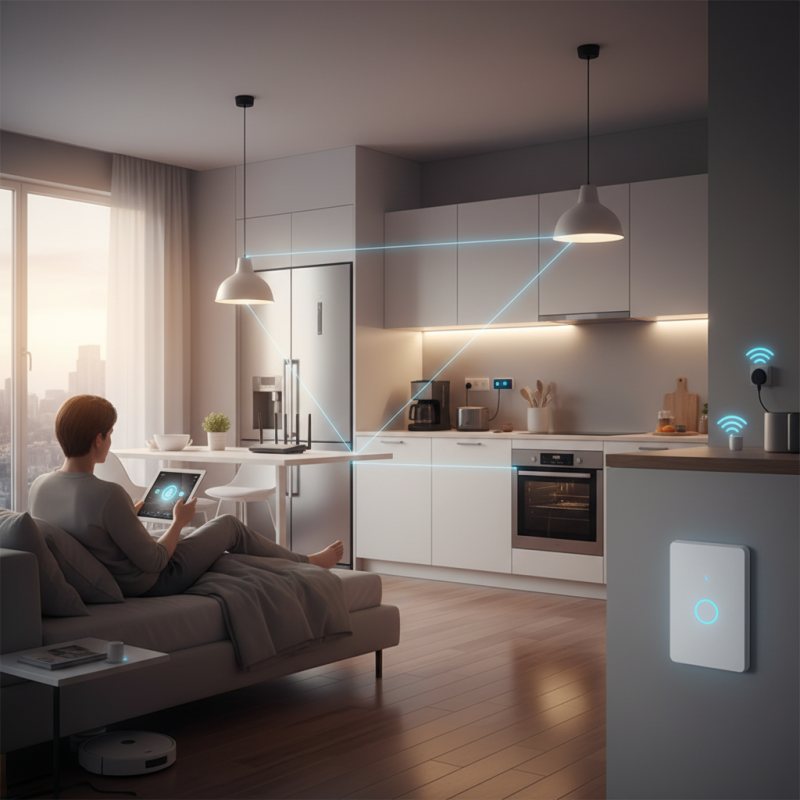
Wifi smart switches are transforming home automation. They allow you to control your lighting with your smartphone or voice commands. According to a recent industry report, the global smart switch market is expected to grow by 35% annually. This growth reflects rising consumer interest in home connectivity and convenience.
Installing Wifi smart switches can enhance your living space. It’s crucial to ensure your router has a strong signal in all areas. Weak connections may lead to lagging or non-responsive switches. Familiarize yourself with your smart switch's settings. Some users often overlook features that can optimize performance. Regular updates to firmware are essential. They not only improve functionality but also ensure security.
For better results, think about creating schedules for your lighting. Automated timers can save energy and money. Consider grouping multiple switches under a single command for streamlined control. Such practices enhance your overall home automation experience. Be mindful that compatibility issues might arise with older systems. This can lead to frustration and affect usability. Always check compatibility with existing smart devices to avoid these setbacks.
Key Features to Look for in Wifi Smart Switches
When selecting Wifi smart switches for home automation, several key features can greatly impact both functionality and user experience. A report from the Smart Home Market indicates that 45% of consumers prioritize remote control capabilities. This allows users to control their devices from anywhere. Imagine adjusting your lights while away on vacation. Such features enhance convenience and peace of mind.
Another important aspect is compatibility with various smart home platforms. Research highlights that 72% of smart switch owners prefer devices that integrate seamlessly with their existing systems. Choosing a switch that works with multiple platforms ensures flexibility. Users sometimes struggle with compatibility issues, leading to frustration. It's key to check compatibility before purchase to avoid these setbacks.
Energy monitoring is also a valuable feature. According to a survey, 55% of homeowners express interest in tracking energy usage. This insight can lead to smarter energy-saving choices. However, not all Wifi switches offer this functionality. Some models might fall short in providing comprehensive monitoring. It's crucial to weigh these aspects critically when selecting the best Wifi smart switch for your home.
Top Wifi Smart Switch Tips for Better Home Automation
| Feature | Description | Importance |
| Remote Control | Ability to control the switch from anywhere via a mobile app. | High |
| Scheduling | Set timers to turn devices on/off automatically at specific times. | High |
| Voice Control | Compatible with voice assistants like Alexa and Google Assistant. | Medium |
| Energy Monitoring | Track energy consumption of connected devices. | Medium |
| Compatibility | Works with various smart home ecosystems and protocols. | High |
| Design | Aesthetic appeal and ease of installation. | Medium |
Steps to Integrate Wifi Smart Switches into Your Home Network
Integrating WiFi smart switches into your home network can seem daunting. However, a systematic approach makes the process smoother. Start by checking your current WiFi coverage. Ensure your router can handle multiple devices. It’s crucial for seamless operation. If your signal is weak, consider repositioning your router or adding extenders.
Next, choose the right smart switches. They should be compatible with your home automation system. Some switches require a neutral wire, while others do not. Verify electrical wiring before purchasing. Presuming compatibility can lead to frustration later. Installation usually involves connecting wires and securing the switch in place. If you’re unsure, consult a professional.
Remember to update your network security. Use strong passwords and enable two-factor authentication. This step is vital to keep unwanted devices away. Sometimes, the process can introduce hiccups. Connectivity issues may arise after installation. Troubleshoot by resetting devices and checking your WiFi settings.
To enhance home automation, consider grouping switches. This allows for controlling multiple lights simultaneously. You can achieve this through an app or your voice assistant. Testing these features is essential; don’t overlook this aspect. It can reveal flaws or enhance your experience.
Best Practices for Managing Multiple Smart Switches Efficiently
Managing multiple smart switches can be challenging. Studies show that over 60% of users face difficulties in configuring their devices effectively. This can lead to frustration and inefficiencies in your home automation system. Here are some best practices to streamline your experience.
Setting up clear naming conventions is crucial. Assign intuitive names to each switch. For example, instead of “Switch 1,” use descriptive titles like “Living Room Light” or “Kitchen Fan.” This clarity helps everyone quickly identify controls and reduces confusion. Additionally, consider grouping switches based on their location or function. This way, you can manage multiple devices simultaneously without losing track.
Regularly check for updates on your smart switches. Many users forget this step. Firmware upgrades often improve functionality and security. A report from a leading tech institute indicates that nearly 40% of smart home devices were not updated in a year. Skipping updates can make your system vulnerable.
Establishing scenes or schedules is another powerful tip. Automating routines based on time or activity can enhance convenience. This allows switches to operate together, such as turning off all lights at night. However, don't overcomplicate these settings. Simplicity often ensures better user adherence and satisfaction.
Troubleshooting Common Issues with Wifi Smart Switches
Wifi smart switches can greatly enhance home automation, but they can sometimes be tricky. A common issue is connectivity. Users often face problems when the switch fails to connect to the network. This can be due to many factors. Check the distance between the switch and your router. Walls and appliances can interfere with the signal. Sometimes, simply restarting the router can solve the problem.
Another frequent issue is the app not recognizing the switch. Make sure the app is updated to the latest version. If it still doesn’t work, try deleting and reinstalling the app. It’s also important to ensure the switch is correctly set up and connected. Check the power supply; a loose connection can cause it to malfunction. Remember, troubleshooting is a trial and error process.
Occasionally, firmware updates can cause complications. If you notice a delay or malfunction, consider rolling back the update. Don’t assume it’s just a defect. Sometimes, the settings may be misconfigured. Spend time exploring the options in the app to see if something was overlooked. Home automation should simplify your life, not complicate it.
