Blog
10 Best UPS Backup Power Supplies for Global Buyers
Choosing reliable UPS Backup equipment is no longer a simple matter of comparing battery capacity. Global buyers must examine voltage compatibility, runtime, transfer speed, maintenance support, and regional certification. A unit that performs well in a quiet office may struggle beside a server rack, medical device, or industrial controller.
The market is expanding quickly. Fortune Business Insights valued the global uninterruptible power supply market at approximately USD 11.19 billion in 2023. It forecasts growth to about USD 17.82 billion by 2032. That expansion reflects rising data-center demand, cloud services, connected factories, and home-office equipment. Yet market growth does not guarantee product quality. That part deserves skepticism.
Uptime Institute research continues to identify power problems as a major source of data-center disruption. Andy Lawrence, former Executive Director of Uptime Institute Intelligence, stated, “Power outages remain the leading cause of data center downtime.” His observation matters beyond large facilities. A brief voltage dip can interrupt a workstation, corrupt an active file, or stop a network switch during a critical call.
This guide evaluates ten UPS Backup power supplies for international users. It considers real operating details, including battery replacement access, audible alarms, outlet formats, software compatibility, and warranty coverage. Some ratings may change with local voltage standards and load conditions. That is easy to overlook. Buyers should verify specifications with manufacturers before purchase, especially when importing equipment across regions.
Understanding UPS Backup Power Supplies and Their Core Functions
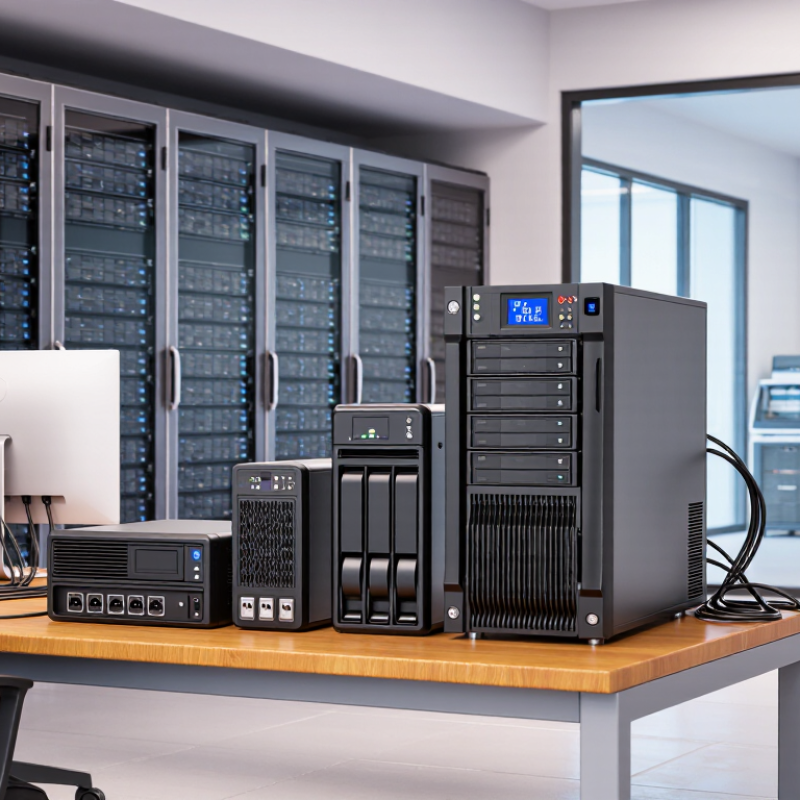
A UPS backup power supply does more than keep equipment running during an outage. It stabilizes incoming electricity, protects against surges, and switches to battery power within milliseconds. This brief transition helps computers, network devices, medical monitoring systems, and essential appliances avoid sudden shutdowns. A UPS normally includes a battery, inverter, charger, transfer switch, and control panel. Each part affects reliability.
Capacity matters, but the printed VA rating is not enough. Compare it with the actual watt demand of your equipment. A small office server may need steady power for several minutes, while a router might run for hours. Line-interactive models can correct moderate voltage changes without using the battery constantly. Online systems provide cleaner output for sensitive equipment, although they may produce more heat and noise. Output waveform also deserves attention, especially with motors or modern power supplies.
Tips: List every connected device, measure its wattage, and choose at least 20% extra capacity. Check local voltage, frequency, plug type, battery replacement access, and safety certification. Test the unit every few months. Do not assume a new battery means perfect performance. I once focused too much on runtime and overlooked alarm settings; that made maintenance harder. A quiet warning can still be a serious warning. Reliable protection comes from matching the UPS to the load, environment, and response needs.
Key Specifications for Comparing UPS Systems Worldwide
10 Best UPS Backup Power Supplies for Global Buyers
Key Specifications for Comparing UPS Systems Worldwide
Choosing among the ten best UPS backup power supplies requires more than checking battery capacity. Start with rated power in watts, not only volt-amperes. A server drawing 900 watts needs a UPS with suitable continuous output and enough headroom for startup surges. Online, line-interactive, and standby designs also behave differently during voltage dips. Online models usually provide cleaner power, but they may consume more energy and cost more.
Runtime depends on load, battery age, temperature, and expansion packs. Ask for runtime at 50%, 75%, and 100% load. A unit promising ten minutes may provide much less when batteries are warm or aging. Output waveform matters for sensitive equipment. A pure sine wave output is often the safer choice for modern power supplies and motor-driven devices. Check transfer time, overload protection, short-circuit protection, and automatic voltage regulation.
Global buyers should verify input and output voltage ranges, frequency compatibility, plug formats, and local certification requirements. Communication options also matter. USB, network monitoring, alarms, and automatic shutdown can prevent data loss during an overnight outage. Measure noise levels before placing a unit near a workstation. Maintenance deserves attention too. Replaceable batteries reduce long-term waste, but replacement procedures are not always simple. I have seen comparisons focus heavily on runtime while ignoring heat, service access, and battery availability. That is a costly oversight. A clear specification sheet helps, but real-site conditions still decide performance.
Power Capacity, Runtime, and Load Compatibility Explained
Choosing among the 10 best UPS backup power supplies starts with usable capacity, not battery size alone. Capacity appears in volt-amperes and watts. Watts describe real output, while volt-amperes show apparent load.
A unit rated at 900 VA and 540 watts cannot safely support a 700-watt workstation. Leave 20–30% headroom for startup surges and battery aging. That margin matters.
Runtime depends on load, battery condition, temperature, and conversion efficiency. A 1,000 VA UPS may power a router for hours but support a desktop for only minutes.
Check the runtime chart at your expected wattage, then verify it with a plug-in meter. Small loads can produce surprisingly long runtimes. High loads collapse quickly.
Do not treat advertised runtime as a promise. Battery wear is often underestimated, especially after several years.
Load compatibility requires more than matching wattage. Check output waveform, transfer time, outlet design, and equipment sensitivity. Some computers may restart during a transfer event.
Network storage and variable-speed motors can also behave differently under backup power. Global buyers should verify voltage, frequency, plug format, and regional certification.
A careful checklist can still miss an unusual startup surge. Recheck the real load before purchase.
Global Standards, Voltage Requirements, and Buyer Considerations
10 Best UPS Backup Power Supplies for Global Buyers
Global buyers should compare more than battery capacity. A UPS must match the local electrical system and the connected equipment. Common household voltages range from 100–120V to 220–240V. Frequency may be 50Hz or 60Hz. Plug type also affects installation. Check the input range, output voltage, frequency tolerance, and waveform before ordering.
A pure sine-wave output is safer for servers, medical monitoring devices, and sensitive power supplies. Product safety evidence should include relevant IEC 62040 testing and applicable regional conformity marks. Requirements differ by market, so verify them with a qualified local distributor.
Capacity needs careful calculation. Add the wattage of every device, then allow at least 20% headroom. VA and watts are not interchangeable. A unit rated at 1,000VA may deliver far fewer usable watts. Runtime also depends on battery age, temperature, and load.
Look for replaceable batteries, overload protection, automatic voltage regulation, and clear alarm signals. In practical purchasing, buyers often focus on runtime and overlook transfer time. That can cause equipment resets. No checklist is perfect. Recheck assumptions before placing a large order.
Tips: Confirm the destination voltage first. Request test reports, wiring diagrams, warranty terms, and battery shipping conditions. Test the UPS with your actual load, not only a lamp. Keep ventilation space around the enclosure. A quiet model may still produce heat. Also, compare service availability, because a low purchase price becomes costly when replacement parts are unavailable.
Top Ten UPS Backup Power Supplies for Different Use Cases
The best UPS backup power supply depends on the use case, not only battery capacity. The IEA’s Electricity 2024 report estimates that data centers consumed about 460 TWh globally in 2022. That demand could exceed 1,000 TWh by 2026. Reliable power protection is becoming practical infrastructure.
For home routers and basic office devices, a compact standby UPS is usually sufficient. A line-interactive unit suits home offices, monitors, and small printers. Pure sine-wave output is safer for sensitive workstations and audio equipment. Small servers need longer runtime, network alerts, and replaceable batteries. Rack-mounted UPS systems fit server rooms with limited floor space. Network closets benefit from short-depth models and temperature monitoring. Retail counters need fast switchover and enough outlets for payment terminals. Telecom equipment often requires DC UPS designs. Industrial controllers need wider voltage tolerance and strong environmental protection. Larger facilities may choose modular, three-phase UPS systems for scalable capacity.
Uptime Institute’s 2024 Global Data Center Survey highlights power resilience as a continuing operational concern. Still, runtime figures can mislead. A “30-minute” rating may assume a light load and new batteries. I have seen buyers overlook socket standards, frequency compatibility, and local certification requirements. That mistake becomes expensive after installation. Battery replacement intervals also vary with heat and discharge cycles. Check the actual load, not the printed maximum. A small UPS with clear monitoring may protect a workstation better than a larger, poorly configured unit.
10 Best UPS Backup Power Supplies for Global Buyers
The chart compares typical connected loads with recommended UPS capacity for ten common use cases. Recommended capacity is estimated using a 25% power headroom and an assumed 0.8 power factor. Actual runtime depends on battery size, load level, battery age, and local electrical standards.
Capacity values are representative sizing figures, not brand-specific product specifications. Higher-capacity UPS systems are generally more suitable for equipment with larger startup loads or longer required backup times.
Related Posts
-
7 Tips for Choosing a UPS Battery Backup?
-
Mastering the Essentials of Best Uninterruptible Power Supply for Global Buyers
-
5 Essential Benefits of Ups Power Supply for Your Business Success
-
7 Reasons Why Ups Power is the Ultimate Solution for Global Buyers
-

Understanding the Technical Specifications of Best Ups Power for Optimal Performance
-

2025 Trends in Power Backup Technology and How to Maximize Your Investment